Over the past few years, smart thermostats have become crucial for efficiently managing your home's temperature and energy consumption. In this beginner's guide, you will discover everything you need to know about Honeywell Smart Thermostats, from setup and features to energy-saving tips. By understanding how these devices work, you'll be equipped to optimize your home environment, reduce energy costs, and enhance comfort. Let's dive in and unlock the potential of your Honeywell Smart Thermostat!
Key Takeaways:
- Honeywell smart thermostats offer user-friendly interfaces and mobile app integration for remote temperature control.
- They feature programmable scheduling options, allowing users to automate heating and cooling based on their daily routines.
- Compatibility with various home automation systems enhances energy efficiency and convenience.
- Most models come with energy usage reports, helping homeowners monitor their energy consumption and adjust settings accordingly.
- Installation is typically straightforward, but professional installation services are available for those who prefer assistance.
Decoding Honeywell Smart Thermostats: Features That Matter
Understanding the standout features of Honeywell smart thermostats can significantly enhance your experience. A range of options, from energy-saving modes to advanced scheduling capabilities, allows you to customize temperature settings according to your daily routine. Additionally, you'll find features like geofencing, which adjusts the temperature based on your location, and adaptive learning, which learns your preferences over time. These smart technologies not only improve comfort but also help you manage energy efficiency, thus lowering utility bills.
Connectivity Options: Wi-Fi, Bluetooth, and Beyond
Honeywell smart thermostats primarily connect via Wi-Fi, enabling you to control your home's temperature remotely using your smartphone. Some models also feature Bluetooth connectivity for nearby device management. As a result, you can receive real-time updates and notifications about your heating and cooling systems, allowing for instant adjustments and greater convenience when you're on the go.
User Interface: Assessing Ease of Use and Accessibility
The user interface of Honeywell smart thermostats is designed with simplicity in mind. Most models feature clear touchscreen displays that make it easy for you to navigate settings and schedules. Furthermore, their mobile app is intuitive, providing straightforward access to all features from anywhere. Whether you're tech-savvy or a beginner, the user-friendly interface ensures that adjusting your home's climate is just a tap away.
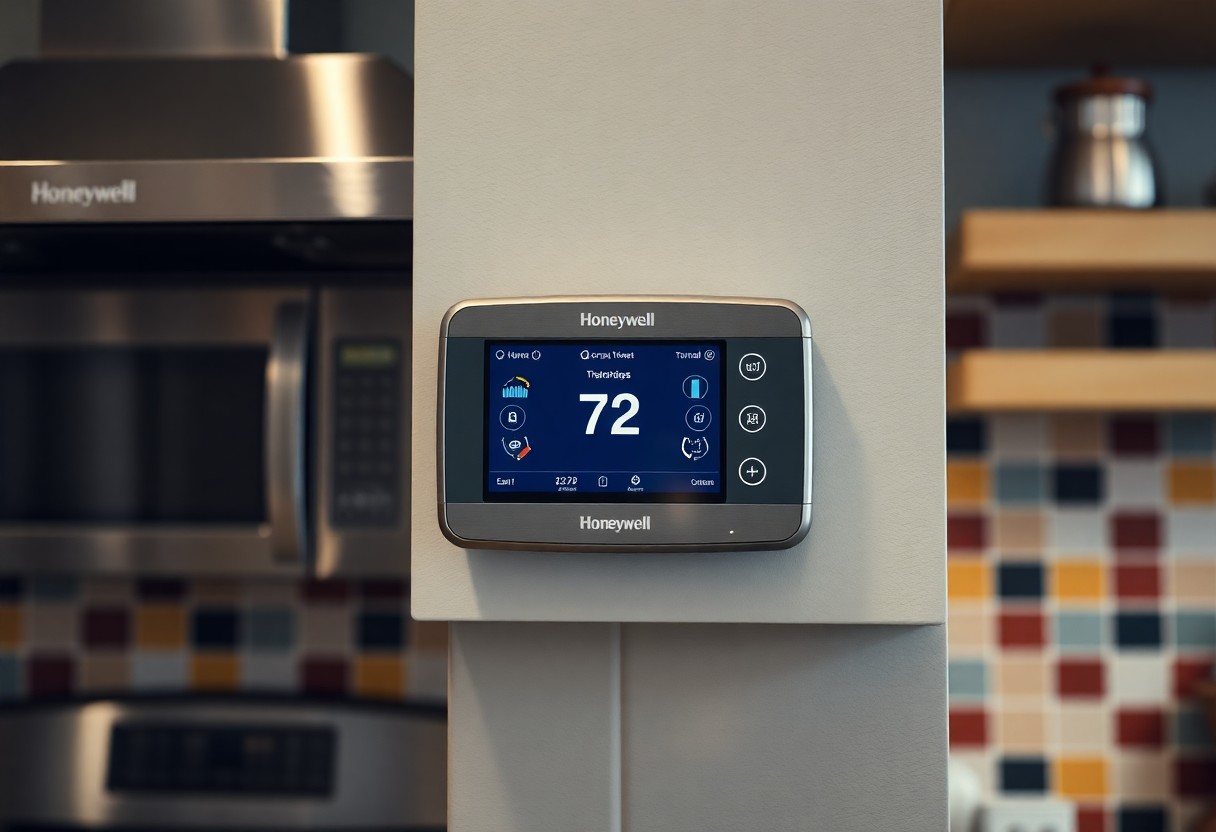
With clean layouts and responsive controls, the interfaces of Honeywell smart thermostats are optimized for a seamless user experience. The touchscreens are not only bright and easy to read, but they also incorporate visual icons to guide you through various features. Icons representing remote control, scheduling, and energy usage provide instant clarity. The mobile app enhances accessibility, allowing you to monitor indoor temperatures, adjust settings, and review energy reports, all in a straightforward manner. Whether you're adjusting settings on the device itself or using the app, you'll find that navigating options feels intuitive and hassle-free.
The Energy Savings Equation: How Smart Thermostats Optimize Your Bills
Smart thermostats play a pivotal role in reducing your energy bills by automatically adjusting heating and cooling based on your preferences while monitoring usage patterns in real-time. By learning your habits and creating tailored schedules, these devices can significantly decrease unnecessary energy consumption, leading to substantial savings reflected on your utility bills each month.
Understanding Energy Usage Patterns
Identifying your energy usage patterns is fundamental in optimizing the efficiency of your Honeywell smart thermostat. Through historical data analysis, these devices track when you're home, away, or sleeping, allowing for effective temperature adjustments that align with your lifestyle. By correlating this data, you can pinpoint peak usage times and modify your energy strategies accordingly.
Strategies for Harnessing Smart Scheduling
Implementing smart scheduling strategies can maximize your energy savings and create a comfortable environment in your home. You can program your thermostat to lower heating or cooling during hours you typically aren't home and gradually bring the temperature back to your preferred level just before you return. This feature not only conserves energy but also ensures optimal comfort upon your arrival. Additionally, consider utilizing geo-fencing technology available with Honeywell thermostats, which adjusts the temperature based on your location, maintaining efficiency without manual input every time you leave or arrive home.
Installation Insights: Getting Your Honeywell Thermostat Up and Running
Proper installation of your Honeywell thermostat can significantly enhance your home's comfort and energy efficiency. Before diving in, ensure you have the right tools, including a screwdriver and wire labels. Most models provide a step-by-step guide within the accompanying app, making it easy for you to follow the instructions. Additionally, be prepared to connect your thermostat to your Wi-Fi network for full smart features, which can usually be done through your smartphone during setup.
DIY Installation vs. Professional Help
You can choose between two main routes: tackling the installation yourself or hiring a professional. If you're comfortable with basic wiring and reading manuals, DIY might be the way to go. However, if your HVAC system is complex or you're unsure about handling electrical components, enlisting a technician could save you time and ensure everything is wired correctly.
Compatibility Checks: Ensuring Your HVAC System Fits
Before proceeding with installation, check the compatibility of your existing HVAC system with your chosen Honeywell thermostat. Most Honeywell models support a wide range of systems, including conventional, heat pump, and radiant models. You can find compatibility details on Honeywell's website or consult the product specifications to confirm that your setup will work seamlessly.
Take specific measurements of your current equipment, including the number of wires and terminal labels. Common setups typically involve a four or five-wire configuration (like R, Y, W, G). Honeywell's compatibility checker tool allows you to input your system details, ensuring a good match beforehand and preventing installation mishaps. This step can save you from the frustration of discovering incompatibility after unboxing your new thermostat.
Navigating the App Ecosystem: Maximizing Your Thermostat's Potential
Your Honeywell smart thermostat is more than just a sleek gadget—it's a powerful tool that, when paired with the Honeywell Home app, elevates the way you control your home's temperature. This app enables not only remote management of your thermostat but also provides insights and automation features that can save you energy and enhance comfort.
Key Features of the Honeywell Home App
The Honeywell Home app is packed with functionality designed to help you get the most out of your thermostat. You can easily access and modify settings from anywhere, enjoy personalized energy-saving tips, and receive system alerts to keep your HVAC running smoothly.
- Remote temperature control from your smartphone
- Scheduling options for customized heating and cooling
- Energy usage reports and tips
- Alerts for system diagnostics and maintenance reminders
- Integration with voice assistants like Amazon Alexa and Google Assistant
This powerful app ensures you stay connected and in control, optimizing your home environment effortlessly.
Integrating with Smart Home Systems
Honeywell smart thermostats seamlessly integrate with a variety of smart home systems, allowing for a unified home automation experience. This means you can connect with devices such as smart lights, security systems, and even home entertainment systems. With compatibility across platforms like IFTTT (If This Then That), you can create specific automations, like adjusting your thermostat when you lock your front door or lowering the temperature when you leave for work. This integration not only enhances convenience but also helps in efficiently managing energy consumption and ensuring comfort when you're home or away.
Troubleshooting Common Issues: Quick Fixes for Everyday Problems
Even with advanced technology, you might encounter occasional hiccups with your Honeywell smart thermostat. Common issues like connectivity problems, display errors, or sensor malfunctions can usually be resolved with simple steps. Adopting a methodical approach helps pinpoint the issue, ensuring your system runs smoothly again without needing a technician.
Connectivity and Syncing Problems
If your Honeywell thermostat isn't connecting to Wi-Fi or syncing with your mobile device, start by confirming your internet connection is active. Rebooting your router can often resolve these glitches. Additionally, ensure the thermostat is positioned within range of your Wi-Fi signal. Performing a factory reset on the device may also restore connectivity if all else fails.
Display and Sensor Concerns
Display issues can be frustrating, but they're usually straightforward to tackle. If your screen appears blank or unresponsive, check the power sources first. If the thermostat is battery-operated, replace the batteries. For wired models, ensure circuit breakers are on. Sensor problems can arise from misalignment or obstructions; make sure nothing is blocking the sensors for accurate readings.
Faulty display or sensor issues with your Honeywell thermostat may also arise from incorrect settings or outdated software. Make sure the device's firmware is updated through the Honeywell app to enhance functionality and resolve bugs. A thorough inspection for physical damage, like cracks or water exposure, is also recommended. Such proactive measures can keep your system running efficiently and prolong its lifespan.
Conclusion
Drawing together the information on Honeywell Smart Thermostats, you now have the tools to select, install, and utilize a thermostat that can enhance your home's comfort and efficiency. By taking advantage of the advanced features and intuitive interfaces offered by these devices, you can significantly improve your heating and cooling management while saving on energy costs. As you gain confidence in navigating these smart technologies, you'll find that optimizing your home environment has never been easier.
FAQ
Q: What is a Honeywell Smart Thermostat?
A: A Honeywell Smart Thermostat is a device that allows you to control your home's heating and cooling systems more efficiently. It can be programmed or controlled remotely via smartphone apps, and many models feature smart learning capabilities, which help them adjust settings based on your daily routines and preferences, ultimately saving energy and improving comfort.
Q: How do I install a Honeywell Smart Thermostat?
A: Installing a Honeywell Smart Thermostat typically involves turning off your HVAC system, removing your old thermostat, and connecting the new one according to the provided wiring diagram. Most models come with a step-by-step installation guide, and installation videos can often be found online. If you are not comfortable with DIY installation, consider hiring a professional.
Q: Can I control my Honeywell Smart Thermostat with my smartphone?
A: Yes, Honeywell Smart Thermostats can be controlled using a smartphone or tablet app. Depending on the model, you can adjust the temperature settings, set schedules, and even monitor energy usage. The app allows for remote access, which means you can control your thermostat from anywhere as long as you have an internet connection.
Q: What are the benefits of using a Smart Thermostat over a traditional one?
A: Smart Thermostats offer several advantages over traditional thermostats. They provide remote access through mobile apps, allowing for adjustments on the go. Many models have learning features that optimize temperature settings based on your habits. They can also integrate with other smart home devices and provide energy reports, helping you to monitor and reduce your energy consumption.
Q: What should I do if my Honeywell Smart Thermostat is not connecting to Wi-Fi?
A: If your Honeywell Smart Thermostat is having trouble connecting to Wi-Fi, start by checking your internet connection to ensure it is operational. Make sure that the thermostat is within range of the Wi-Fi router and that you have entered the correct password. Restart both your thermostat and your router if needed. If issues persist, consult the thermostat's manual for troubleshooting tips or reach out to Honeywell customer support for assistance.